
Welcome to Hexo! This is your very first post. Check documentation for more info. If you get any problems when using Hexo, you can find the answer in troubleshooting or you can ask me on GitHub.
Quick Start
Create a new post
1 | $ hexo new "My New Post" |
More info: Writing
Run server
1 | $ hexo server |
More info: Server
Generate static files
1 | $ hexo generate |
More info: Generating
Deploy to remote sites
1 | $ hexo deploy |
More info: Deployment
Configure a domain for your HEXO repository
purchase a domain
We will take alibaba domain in this case. you can visit the alicloud console page for domain purchase and move on to configuration.
DNS Configuration
Configure your DNS record like below: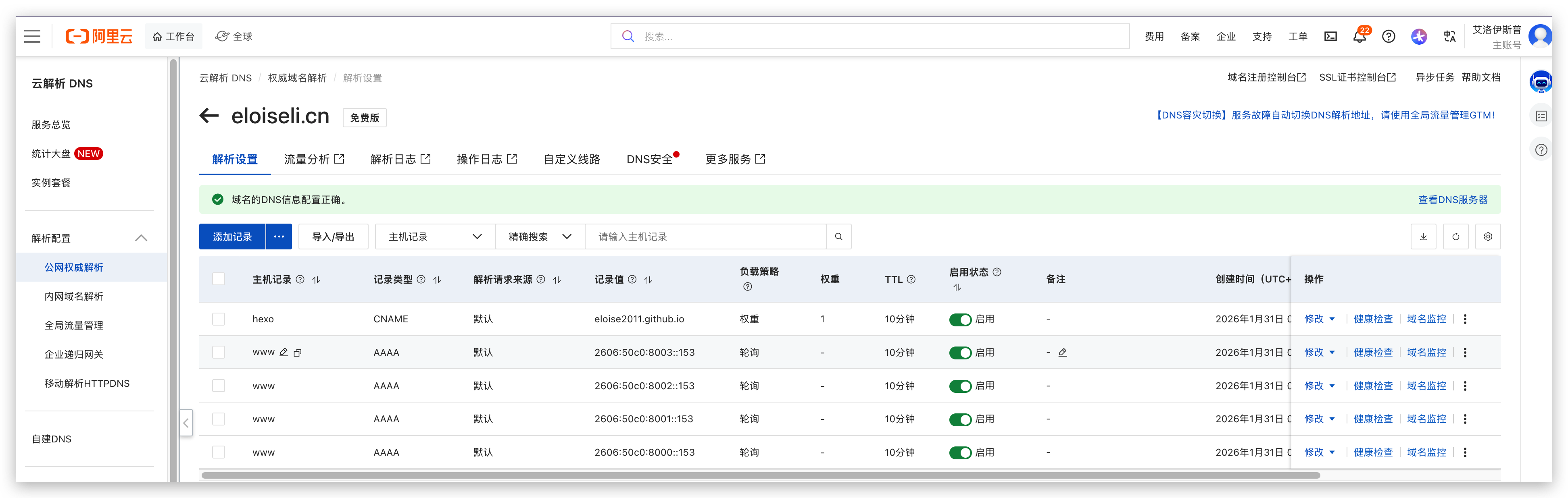
Local CNAME update
in the source folder of your local hexo repository, change the CNAME content to your new domain as below: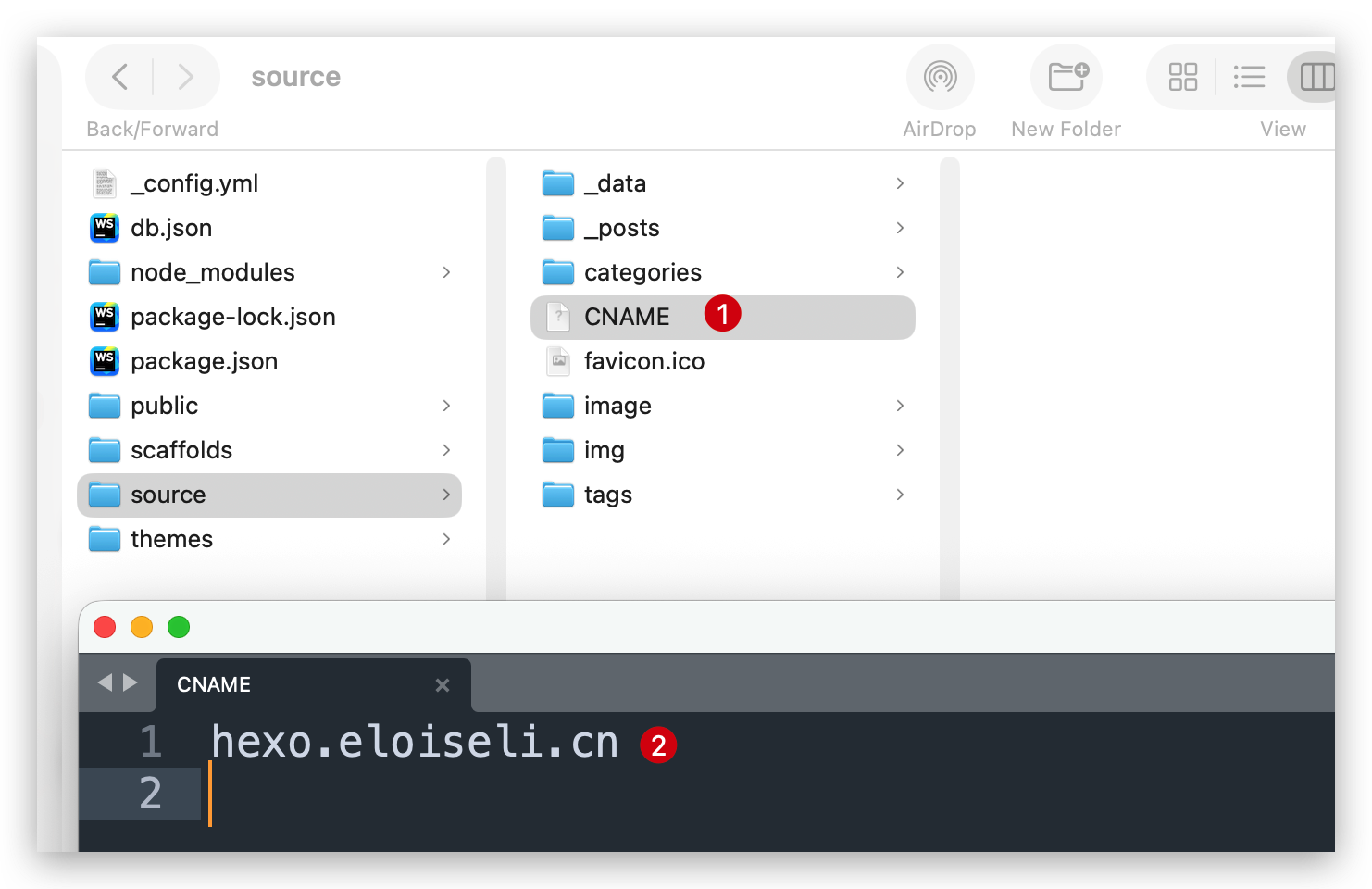
Site URL update
set your site url to the new domain as well in the _config.yml of your local hexo repository as below: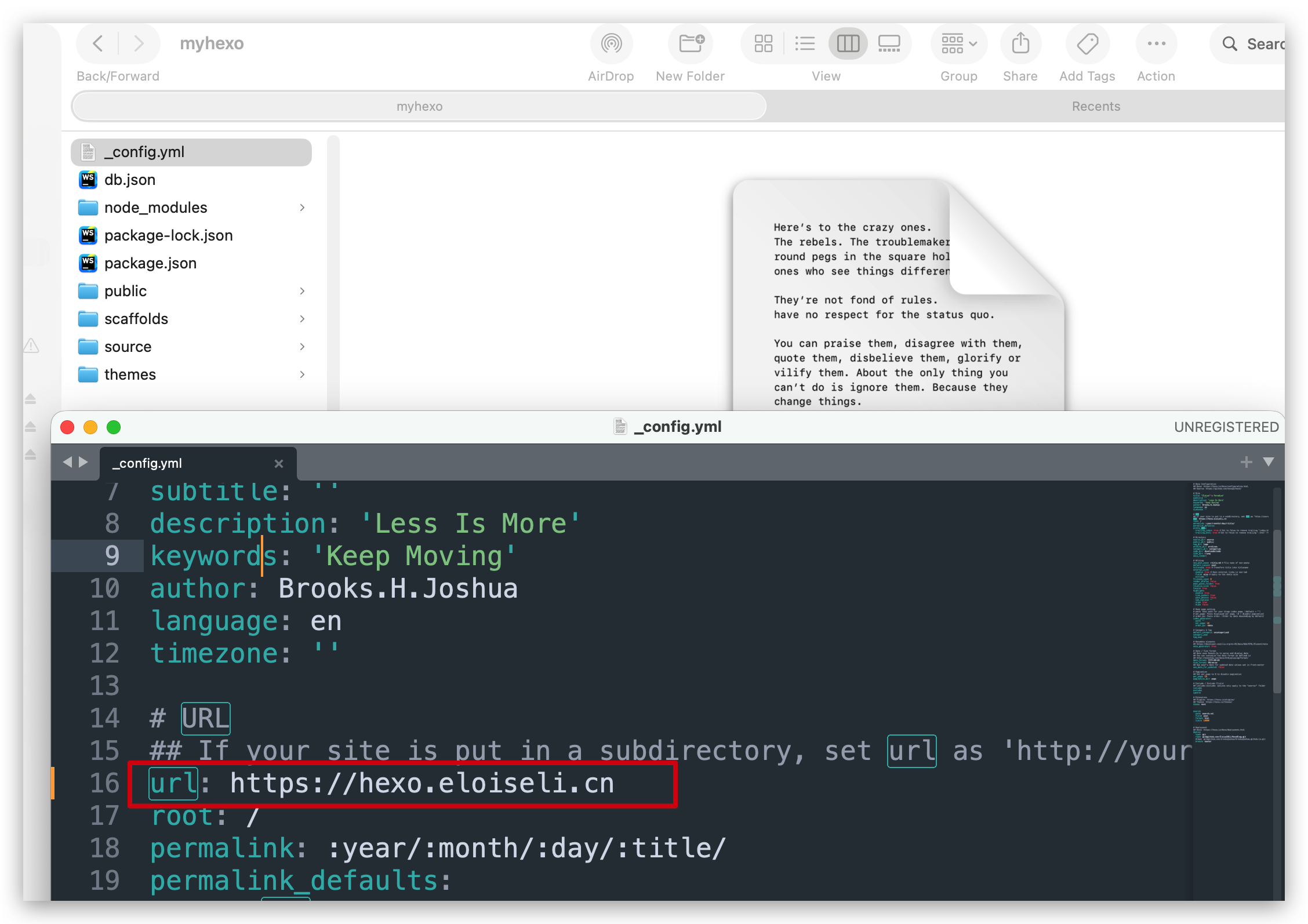
Github repository domain customization
specify the domain for your hexo blog repository as below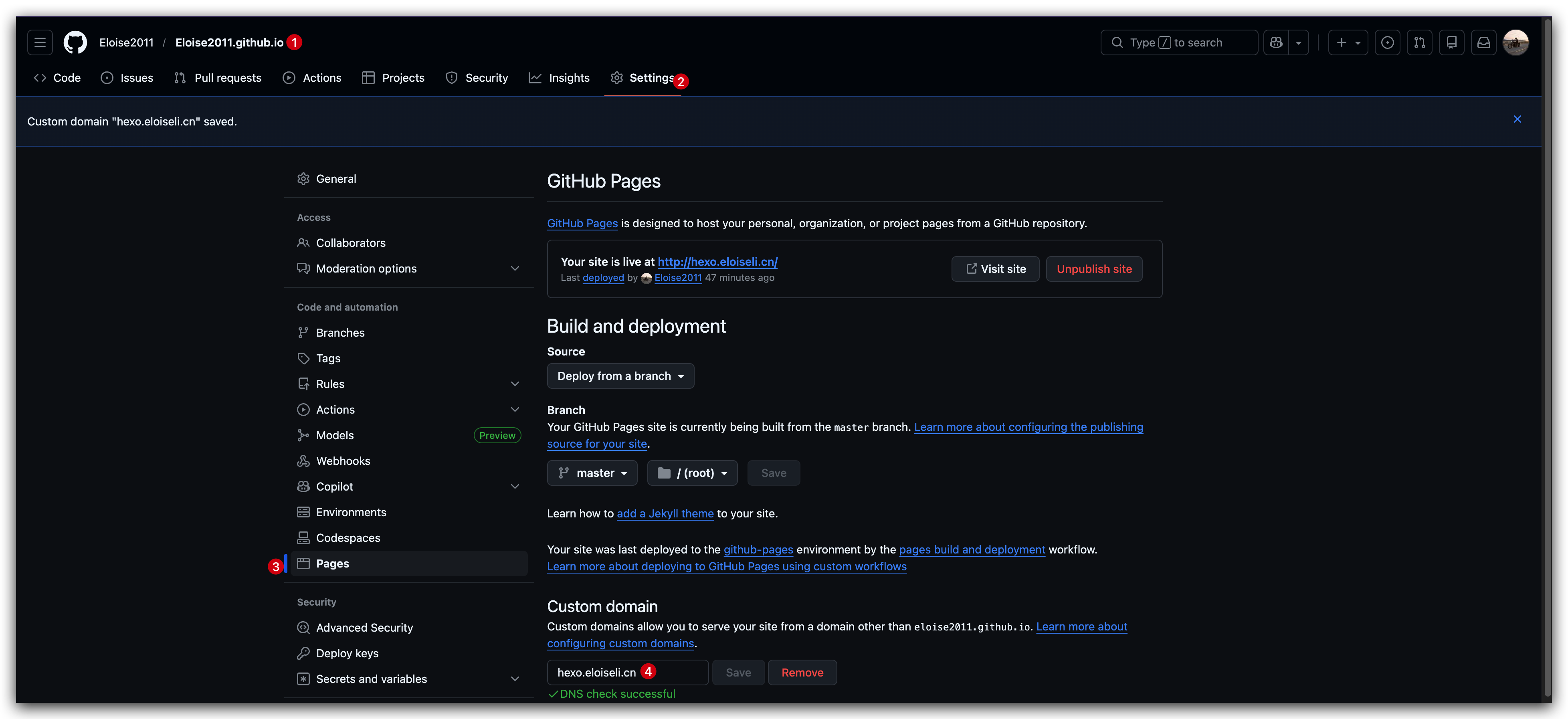
Till now you are good to go and check your domain name is working or not.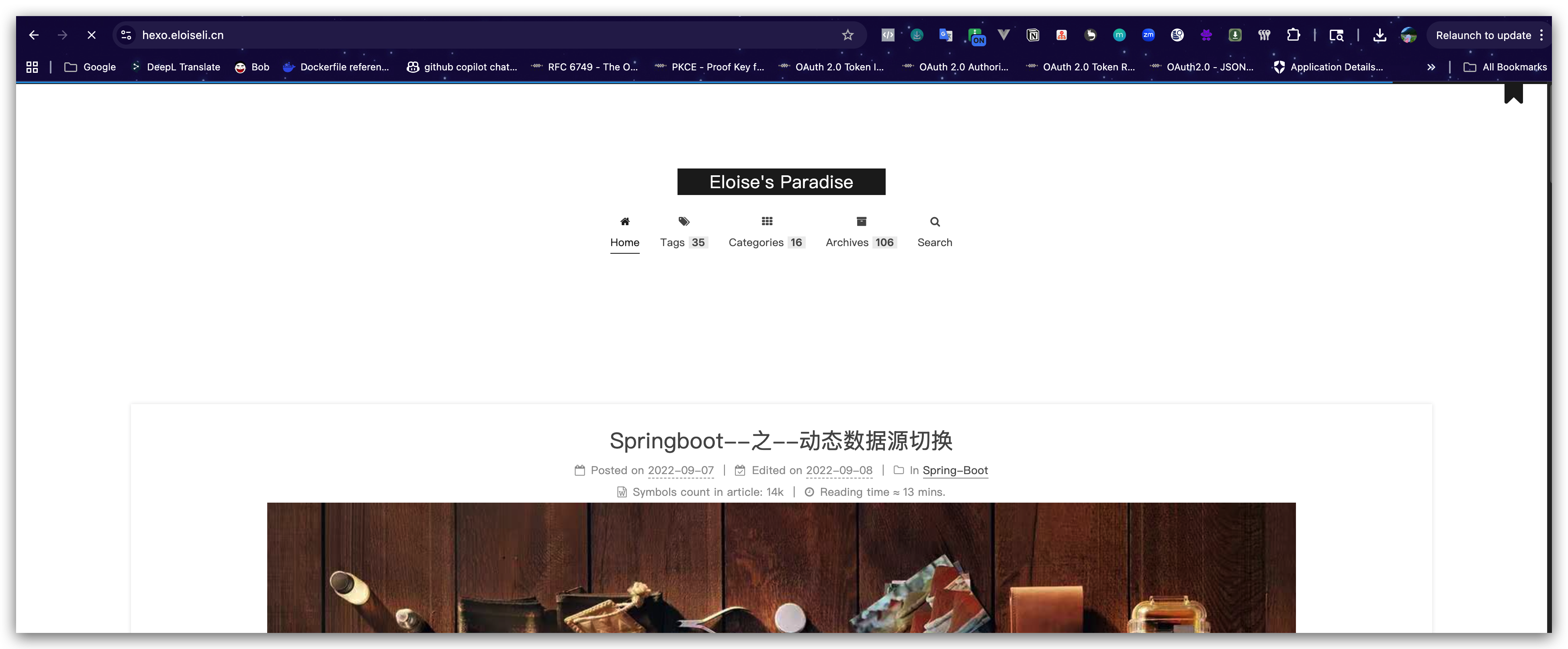
References: