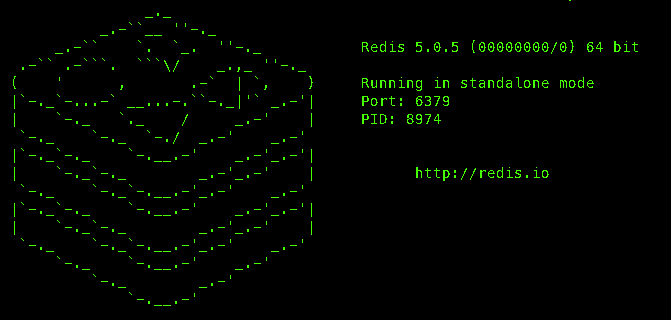
本章是redis系列第2讲, 主要介绍redis客户端(Jedis,Lettuce, Soring data redis等)相关的知识点。
Jedis
建maven项目
引入依赖
1
2
3
4
5
6
7
8
9
10
11
12
13
14
15
16
17
18
19
20
21
22
23
24
25
26
27
28
29
30
31
32
33
34
35
36
37
38
39
40
41
42
| <?xml version="1.0" encoding="UTF-8"?>
<project xmlns="http://maven.apache.org/POM/4.0.0" xmlns:xsi="http://www.w3.org/2001/XMLSchema-instance"
xsi:schemaLocation="http://maven.apache.org/POM/4.0.0 http://maven.apache.org/xsd/maven-4.0.0.xsd">
<modelVersion>4.0.0</modelVersion>
<groupId>org.example</groupId>
<artifactId>MyRedis</artifactId>
<version>1.0-SNAPSHOT</version>
<name>MyRedis</name>
<url>http://www.example.com</url>
<properties>
<project.build.sourceEncoding>UTF-8</project.build.sourceEncoding>
<maven.compiler.source>1.8</maven.compiler.source>
<maven.compiler.target>1.8</maven.compiler.target>
</properties>
<dependencies>
<dependency>
<groupId>redis.clients</groupId>
<artifactId>jedis</artifactId>
<version>4.2.3</version>
</dependency>
<dependency>
<groupId>junit</groupId>
<artifactId>junit</artifactId>
<version>4.11</version>
<scope>test</scope>
</dependency>
<dependency>
<groupId>org.projectlombok</groupId>
<artifactId>lombok</artifactId>
<version>1.18.10</version>
</dependency>
</dependencies>
</project>
|
编写测试类:
1
2
3
4
5
6
7
8
9
10
11
12
13
14
15
16
17
18
19
20
21
22
23
24
25
26
27
28
29
30
31
32
33
34
35
36
37
38
39
40
41
42
43
44
45
46
47
48
49
50
51
52
53
54
55
56
57
58
59
60
61
62
63
64
65
66
| package org.example;
import lombok.extern.slf4j.Slf4j;
import org.junit.After;
import org.junit.Before;
import org.junit.Test;
import redis.clients.jedis.Jedis;
import java.util.Set;
@Slf4j
public class JedisTest
{
private Jedis jedis;
@Before
public void init() {
jedis = new Jedis("127.0.0.1",6379);
}
@Test
public void getDB0(){
jedis.select(0);
Set<String> keys = jedis.keys("*");
for (String key:keys) {
System.out.println("(k,v)=("+key+","+jedis.get(key)+")");
}
}
@Test
public void testString(){
jedis.select(0);
}
@Test
public void testList(){
jedis.select(1);
jedis.keys("*").forEach(System.out::println);
}
@Test
public void testSet(){
jedis.select(2);
jedis.keys("*").forEach(System.out::println);
}
@Test
public void testHash(){
jedis.select(3);
jedis.keys("*").forEach(System.out::println);
}
@Test
public void testSortedSet(){
jedis.select(4);
jedis.keys("*").forEach(System.out::println);
}
@Test
public void testCommands(){
jedis.select(5);
jedis.keys("*").forEach(System.out::println);
}
@After
public void close(){
if(jedis!=null){
jedis.close();
}
}
}
|
对init操作优化 池化
新建类
1
2
3
4
5
6
7
8
9
10
11
12
13
14
15
16
17
18
19
20
21
22
23
24
25
26
27
| package org.example.util;
import redis.clients.jedis.Jedis;
import redis.clients.jedis.JedisPool;
import redis.clients.jedis.JedisPoolConfig;
public class JedisConnectionFactory {
private static final JedisPool jedisPool;
static {
JedisPoolConfig config = new JedisPoolConfig();
config.setMaxTotal(8);
config.setMaxIdle(8);
config.setMinIdle(0);
jedisPool = new JedisPool(config, "127.0.0.1", 6379);
}
public static Jedis getInstance() {
return jedisPool.getResource();
}
}
|
然后 将原来init操作获取redis的方式
1
2
|
jedis = JedisConnectionFactory.getInstance();
|
Spring Data Redis
在上面pom文件基础上添加: spring-boot-starter-parent和 spring-boot-starter-data-redis spring-boot-starter-test三个依赖
新建测试类
自动注入redisTemplate
测试
执行cat redis-sentinel-minimum-config-from-original.conf| grep -vE "#|^$" 从刚安装好的redis的conf目录下提取最小配置
输出结果如下:
1
2
3
4
5
6
7
8
9
10
11
12
13
| port 6379 # 进程占用端口
daemonize no #后台方式启动, 如果是yes关闭控制台窗口后redis还是在执行的
pidfile /var/run/redis-sentinel.pid #指定进程文件路径
logfile "" #日志文件配置
dir /tmp #临时文件存储路径
sentinel monitor mymaster 127.0.0.1 6379 2
sentinel down-after-milliseconds mymaster 30000
acllog-max-len 128
sentinel parallel-syncs mymaster 1
sentinel failover-timeout mymaster 180000
sentinel deny-scripts-reconfig yes
SENTINEL resolve-hostnames no
SENTINEL announce-hostnames no
|