SpringCloud-服务网关将学习讨论相关组件: Ribbon 和OpenFeign 。 可以与传统RestTemplate做对比优劣。
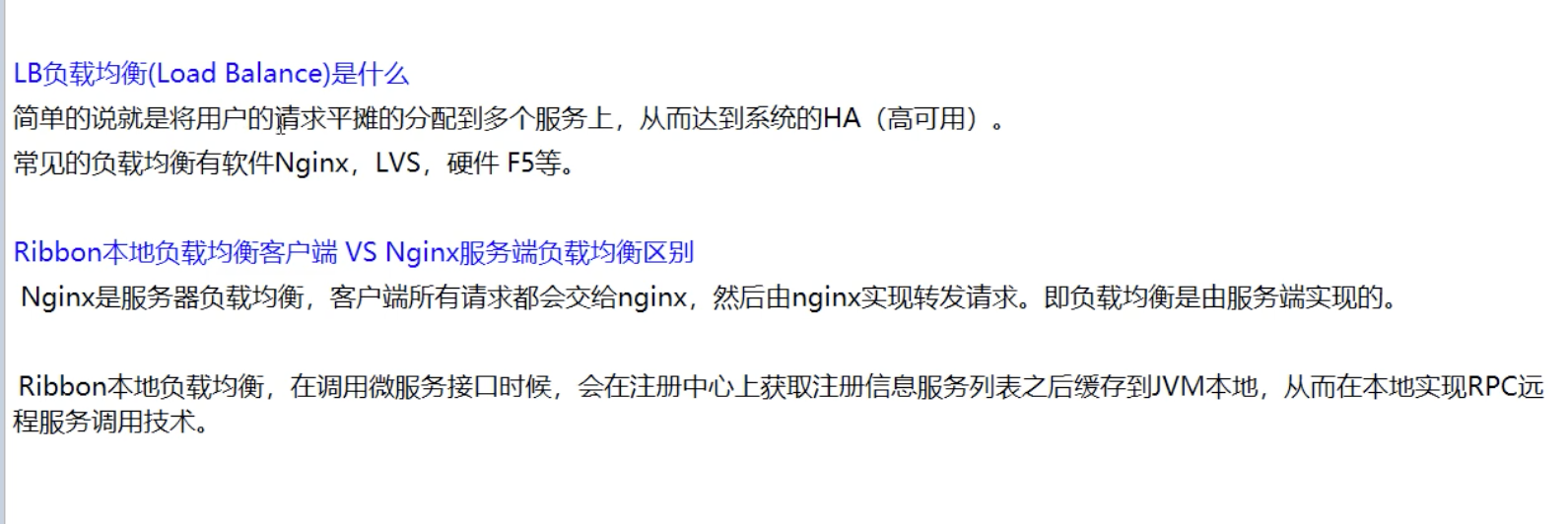
Ribbon Ribbon是什么
Ribbon模块现状 1 2 3 4 5 6 7 8 9 10 11 More specifically, here are the components of Ribbon and their level of attention by our teams: ribbon-core: deployed at scale in production ribbon-eureka: deployed at scale in production ribbon-evcache: not used ribbon-guice: not used ribbon-httpclient: we use everything not under com.netflix.http4.ssl. Instead, we use an internal solution developed by our cloud security team ribbon-loadbalancer: deployed at scale in production ribbon-test: this is just an internal integration test suite ribbon-transport: not used ribbon: not used
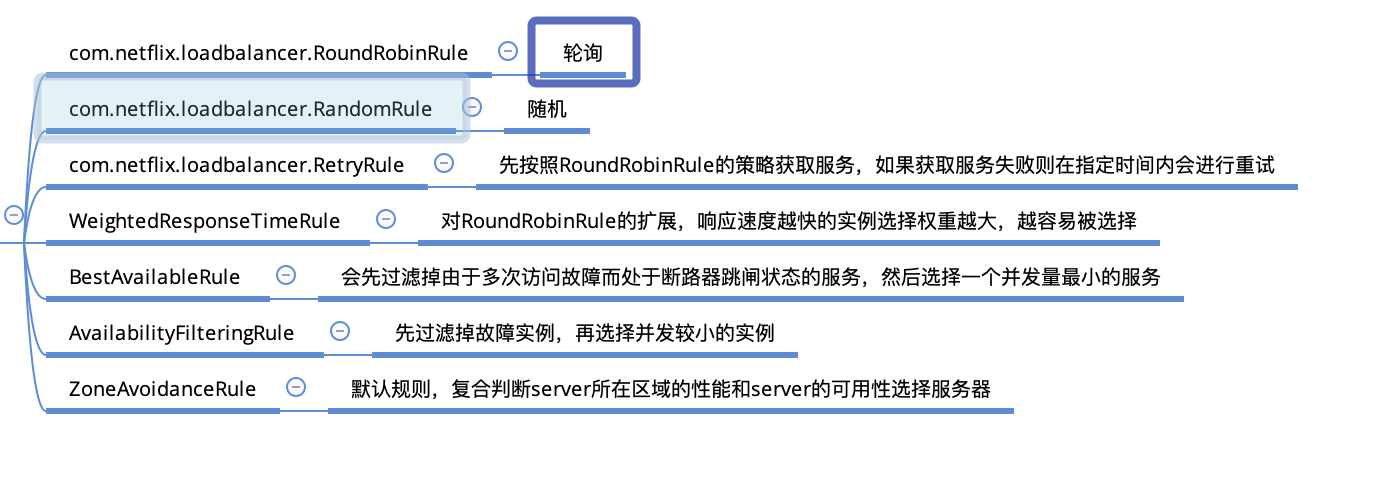
Ribbon的核心组件IRule IRule的具体实现类有如下七个:
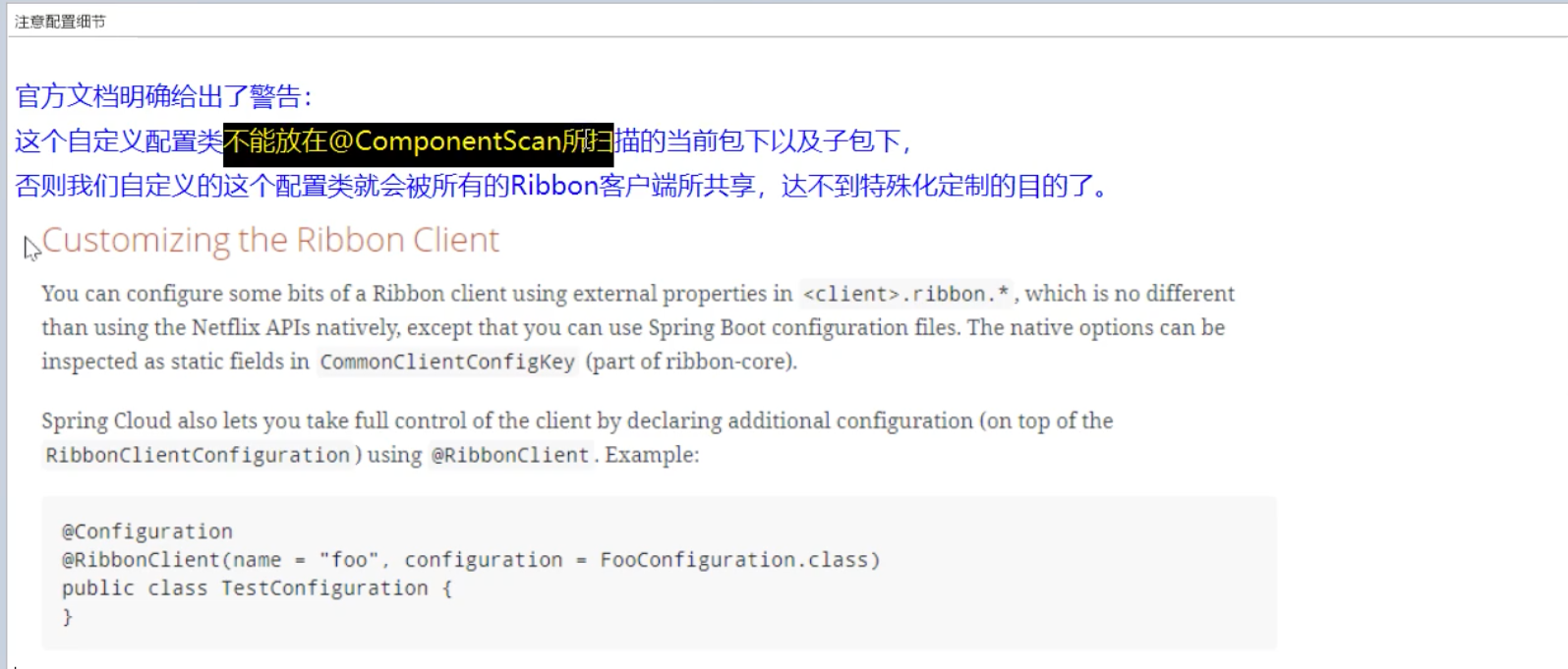
IRule 配置细节
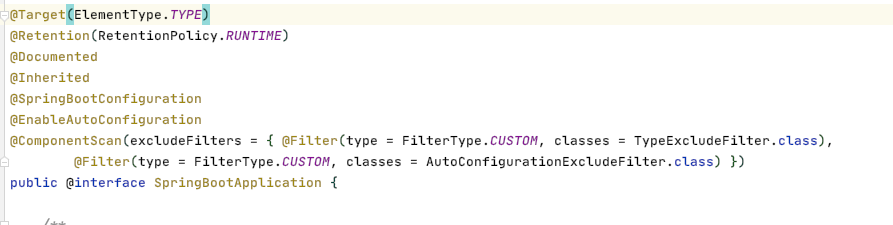
*而主启动类上的@SpringBootApplication注解是被@ComponentScan修饰的, 也就是说, 不能与主启动类所在包同级或其中. *
IRule 配置 以cloud-consumer-order80 为例, 来掩饰IRule的个性化配置.
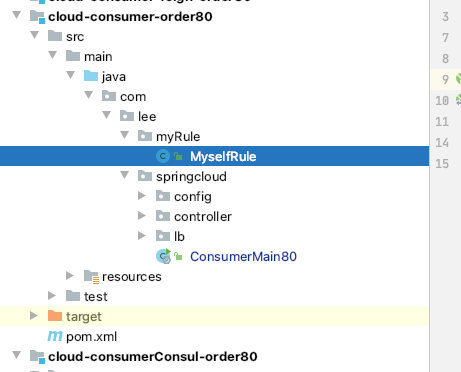
修改cloud-consumer-order80 新建MyselfRule类 考虑到配置细节中提到的问题, 所以MyselfRule类所在包如下图所示
1 2 3 4 5 6 7 8 9 10 11 12 13 14 package com.lee.myRule;import com.netflix.loadbalancer.IRule;import com.netflix.loadbalancer.RandomRule;import org.springframework.context.annotation.Bean;import org.springframework.context.annotation.Configuration;@Configuration public class MyselfRule @Bean public IRule myRule () return new RandomRule(); } }
主启动类修改 在主启动类上添加注解: @RibbonClient, 并在该注解属性中配置为某个服务具体的轮巡策略
1 2 3 4 5 6 7 8 9 10 11 12 13 14 15 16 17 18 package com.lee.springcloud;import com.lee.myRule.MyselfRule;import org.springframework.boot.SpringApplication;import org.springframework.boot.autoconfigure.SpringBootApplication;import org.springframework.boot.autoconfigure.jdbc.DataSourceAutoConfiguration;import org.springframework.cloud.client.discovery.EnableDiscoveryClient;import org.springframework.cloud.netflix.eureka.EnableEurekaClient;import org.springframework.cloud.netflix.ribbon.RibbonClient;@SpringBootApplication @EnableDiscoveryClient @RibbonClient (name="CLOUD-PAYMENT-SERVICE" ,configuration = MyselfRule.class ) // 默认的是轮巡, 现在改成随机 public class ConsumerMain80 public static void main (String[] args) SpringApplication.run(ConsumerMain80.class ) ; } }
测试 启动cloud-consumer-order80 项目, 多次访问 http://localhost/c/get/1 会发现已经不是轮巡(交替从8001,8002提供服务), 而是随机出现.
仿写负载策略 根据轮巡策略的源码(RoundRobinRule), 仿写自己的轮巡策略并让其生效. 因为要用自己的 , 那么ribbon自带的轮巡就要先禁用
Step 1: 禁用ribbon自带的负载策略 1 2 3 4 5 6 7 8 9 10 11 12 13 14 15 package com.lee.springcloud.config;import org.springframework.cloud.client.loadbalancer.LoadBalanced;import org.springframework.context.annotation.Bean;import org.springframework.context.annotation.Configuration;import org.springframework.web.client.RestTemplate;@Configuration public class ApplicationContextConfig @Bean public RestTemplate getRestTemplate () return new RestTemplate(); } }
RIBBON 的测试还没成功, 待后续继续测试添加笔记. OpenFeign Feign 是什么
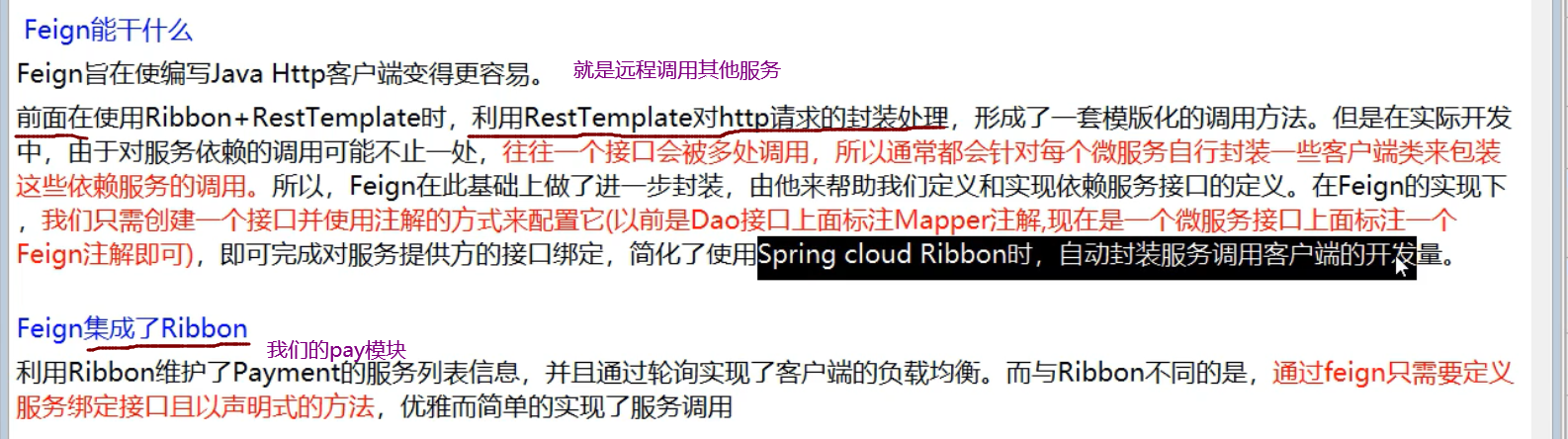
Feign 能干什么
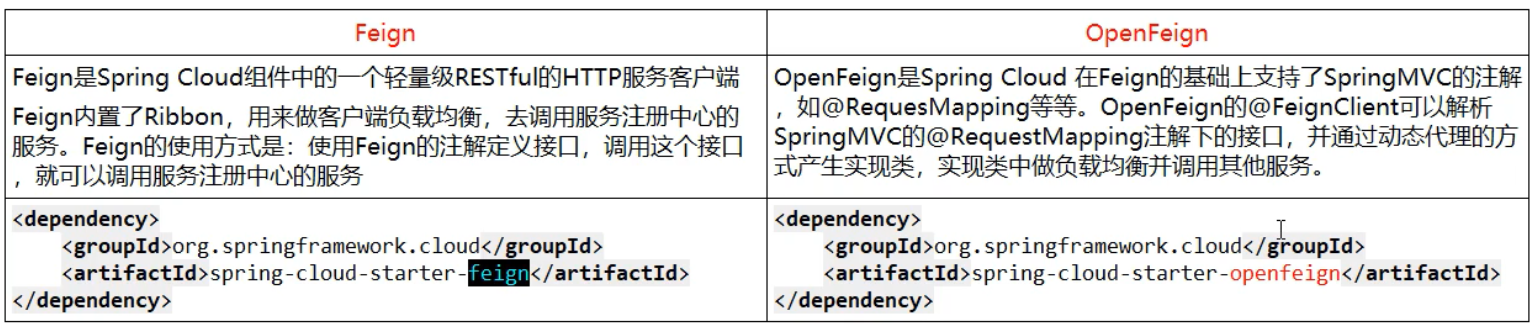
Feign & OpenFeign
OpenFeign进行服务调用 新建cloud-consumer-feign-order80 写POM 1 2 3 4 5 6 7 8 9 10 11 12 13 14 15 16 17 18 19 20 21 22 23 24 25 26 27 28 29 30 31 32 33 34 35 36 37 38 39 40 41 42 43 44 45 46 47 48 49 50 51 52 53 54 55 56 57 58 59 60 61 62 <?xml version="1.0" encoding="UTF-8"?> <project xmlns ="http://maven.apache.org/POM/4.0.0" xmlns:xsi ="http://www.w3.org/2001/XMLSchema-instance" xsi:schemaLocation ="http://maven.apache.org/POM/4.0.0 http://maven.apache.org/xsd/maven-4.0.0.xsd" > <parent > <artifactId > CloudAll</artifactId > <groupId > com.lee</groupId > <version > 1.0-SNAPSHOT</version > </parent > <modelVersion > 4.0.0</modelVersion > <artifactId > cloud-consumer-feign-order80</artifactId > <dependencies > <dependency > <groupId > com.lee</groupId > <artifactId > cloud-api-commons</artifactId > <version > 1.0-SNAPSHOT</version > </dependency > <dependency > <groupId > org.springframework.cloud</groupId > <artifactId > spring-cloud-starter-openfeign</artifactId > </dependency > <dependency > <groupId > org.springframework.cloud</groupId > <artifactId > spring-cloud-starter-netflix-eureka-server</artifactId > <exclusions > <exclusion > <groupId > javax.servlet</groupId > <artifactId > servlet-api</artifactId > </exclusion > </exclusions > </dependency > <dependency > <groupId > org.springframework.boot</groupId > <artifactId > spring-boot-starter-web</artifactId > </dependency > <dependency > <groupId > org.springframework.boot</groupId > <artifactId > spring-boot-starter-actuator</artifactId > </dependency > <dependency > <groupId > org.springframework.boot</groupId > <artifactId > spring-boot-devtools</artifactId > <scope > runtime</scope > <optional > true</optional > </dependency > <dependency > <groupId > org.projectlombok</groupId > <artifactId > lombok</artifactId > <optional > true</optional > </dependency > <dependency > <groupId > org.springframework.boot</groupId > <artifactId > spring-boot-starter-test</artifactId > <scope > test</scope > </dependency > </dependencies > </project >
建yml 1 2 3 4 5 6 7 8 9 10 11 12 13 server: port: 80 spring: application: name: cloud-order-service eureka: client: service-url: defaultZone: http://eureka7001.com:7001/eureka,http://eureka7002.com:7002/eureka register-with-eureka: true fetch-registry: true
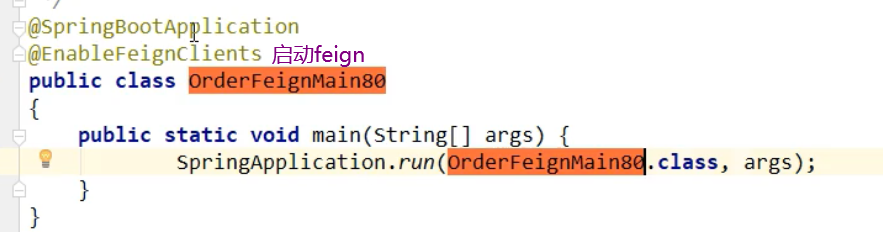
主启动类 1 2 3 4 5 6 7 8 9 10 11 12 13 package com.lee.springcloud;import org.springframework.boot.SpringApplication;import org.springframework.boot.autoconfigure.SpringBootApplication;import org.springframework.cloud.openfeign.EnableFeignClients;@EnableFeignClients @SpringBootApplication public class FeignOrder80 public static void main (String[] args) SpringApplication.run(FeignOrder80.class ,args ) ; } }
业务类
新建接口
1 2 3 4 5 6 7 8 9 10 11 12 13 14 15 16 package com.lee.springcloud.service;import com.lee.springcloud.entities.CommonResult;import com.lee.springcloud.entities.Payment;import org.springframework.cloud.openfeign.FeignClient;import org.springframework.stereotype.Component;import org.springframework.web.bind.annotation.GetMapping;import org.springframework.web.bind.annotation.PathVariable;@Component @FeignClient (value = "CLOUD-PAYMENT-SERVICE" )public interface PaymentFeignService @GetMapping ("/payment/get/{id}" ) public CommonResult<Payment> getPaymentById (@PathVariable("id" ) long id) }
controller
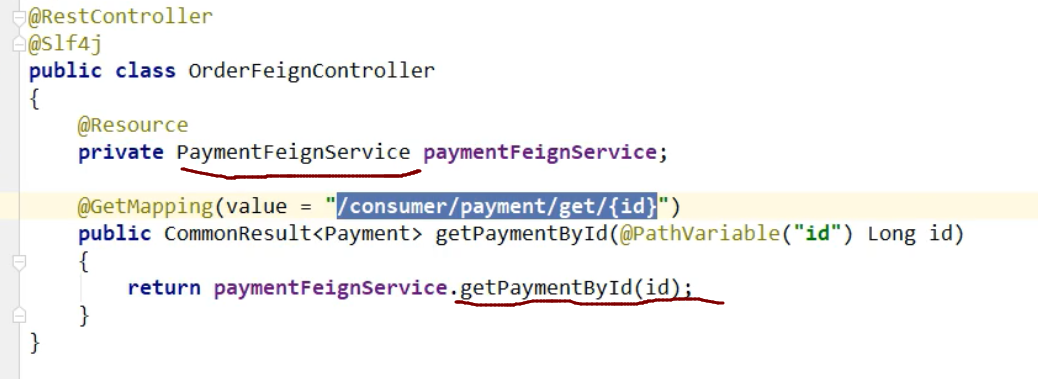
1 2 3 4 5 6 7 8 9 10 11 12 13 14 15 16 17 18 19 20 21 22 23 package com.lee.springcloud.controller;import com.lee.springcloud.entities.CommonResult;import com.lee.springcloud.entities.Payment;import com.lee.springcloud.service.PaymentFeignService;import lombok.extern.slf4j.Slf4j;import org.springframework.web.bind.annotation.GetMapping;import org.springframework.web.bind.annotation.PathVariable;import org.springframework.web.bind.annotation.RestController;import javax.annotation.Resource;@Slf 4j@RestController public class OrderFeignController @Resource PaymentFeignService paymentFeignService; @GetMapping ("/feign/payment/get/{id}" ) public CommonResult<Payment> getPaymentById (@PathVariable("id" ) long id) return paymentFeignService.getPaymentById(id); } }
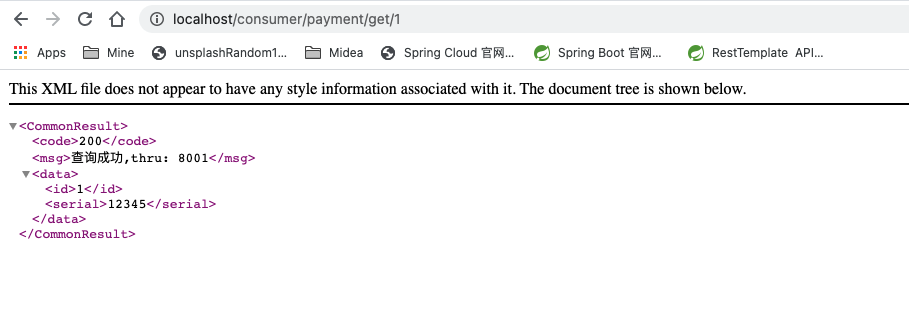
测试 依次启动: 2个eureka集群7001/7002, 2个微服务payment8001/8002 和 Feign-Order-80, 然后访问消费者中暴露的请求路径:
1 http://localhost/consumer/payment/get/1
可以看到结果如下:
OpenFeign 超时问题 演示
服务提供方8001故意写暂停程序:
1
2
3
4
5
@GetMapping (value = "/payment/feign/timeout" )public String paymentFeignTimeout () try { TimeUnit.SECONDS.sleep(5 ); }catch (Exception e) {e.printStackTrace();} return serverPort; }
服务消费方80添加超时方法PaymentFeignService:
1
2
@GetMapping ("/consumer/payment/feign/timeout" )public String paymentFeignTimeout ()
服务消费方80添加超时方法OrderFeignController:
1
2
3
4
@GetMapping ("/consumer/payment/feign/timeout" )public String paymentFeignTimeout () return paymentFeignService.paymentFeignTimeout(); }
测试访问:
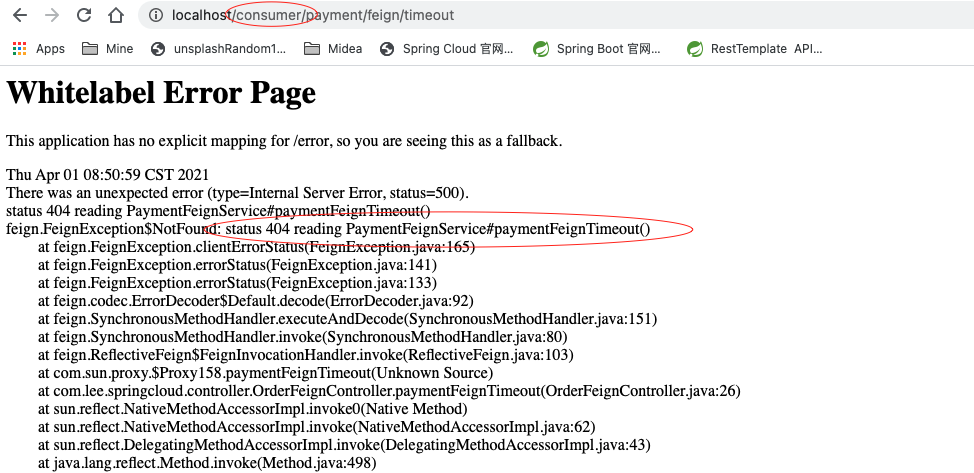
1 http://localhost/consumer/payment/feign/timeout
发现报错如下:
而直接访问8001服务提供者则一切正常
原因是openFeign客户端默认是等待1秒钟, 所以当耗时超过1秒是就会报错如上. 那如果实际业务处理时间确实需要比默认要长时,则需要个性化配置feign的等待时长.