Now let’s take a long section on Account Management, Billing and Support.
Organizations
Management Mode
We will be starting with AWS Organizations. So it’s a very simple service, it’s a global service.
And the idea is that by creating an organization you’re able to manage multiple AWS accounts.
The main account is going to be called the master account and all the other ones will be called child accounts.
Cost Benefits
The cost benefits you get from using an organization is that you get consolidated billing.
That means that all the accounts will be paid by just the master account. And so you will have one longer bill at the end.
So you don’t just set up as payment method for all the other accounts. The other thing is that you get pricing benefits from aggregated usage.
So when you use a lot EC2, when you use a lot S3 you get a discounts because you’ve used that a lot.
And so if you have multiple accounts, you could lose that volume, but with an organization because the billing is consolidated the aggregated usage is as well consolidated. And that means that you get more discounts.
Also, if you’re using reserved instances, they’re shared across all the accounts to make sure that if one account does not use a reserved instance another one can and again, maximize the cost savings.
There’s an API that is available to automate AWS account creation to do so automatically, which is very helpful.
For example if she had some processes to create an account programmatically for someone, for example a sandbox accounts.
And then finally you can restrict account privileges using a Service Control Policy or SCP.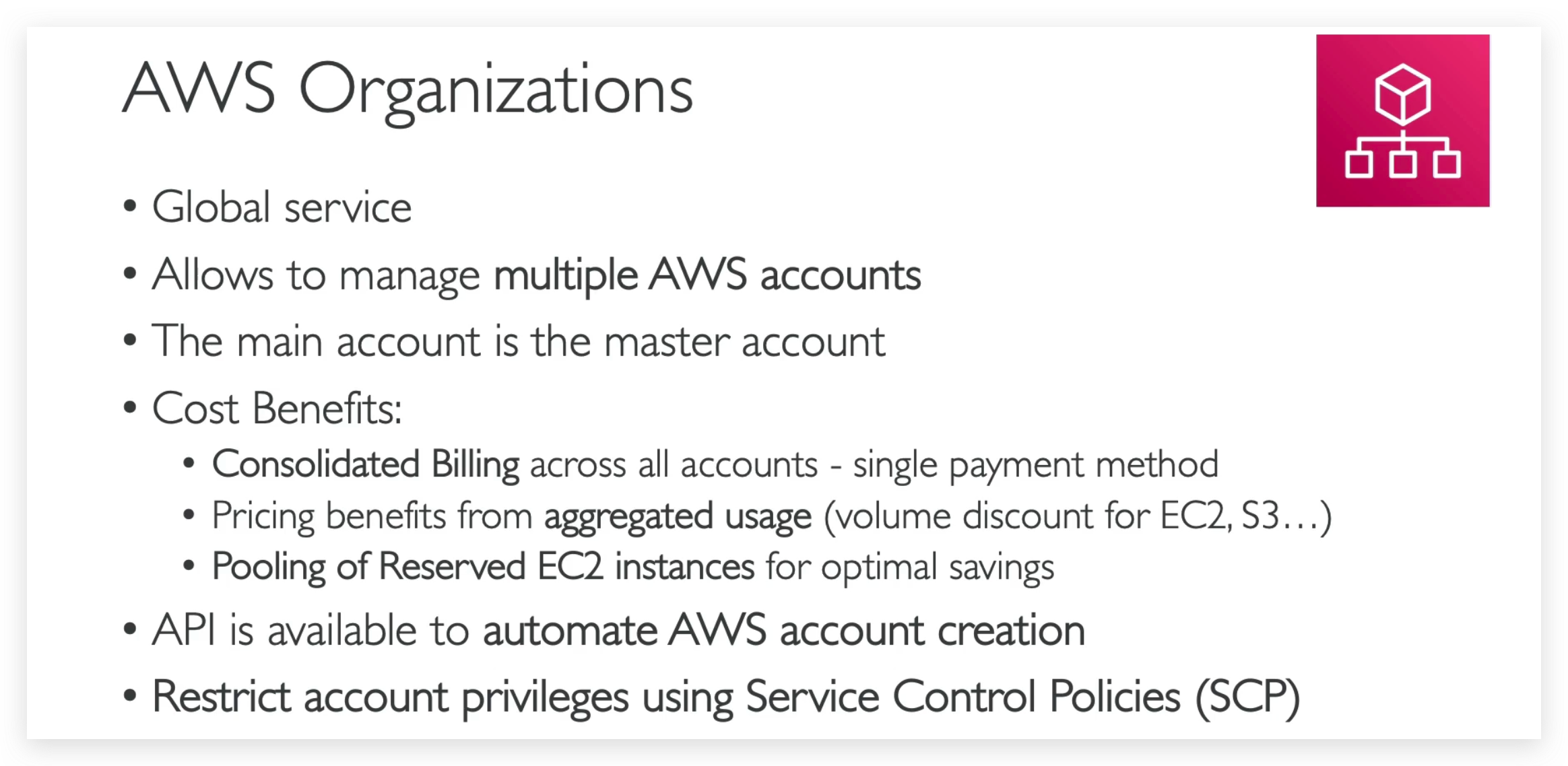
Points in bold are typical questions in the exam, so better to recite them all.
SCP
SCP points
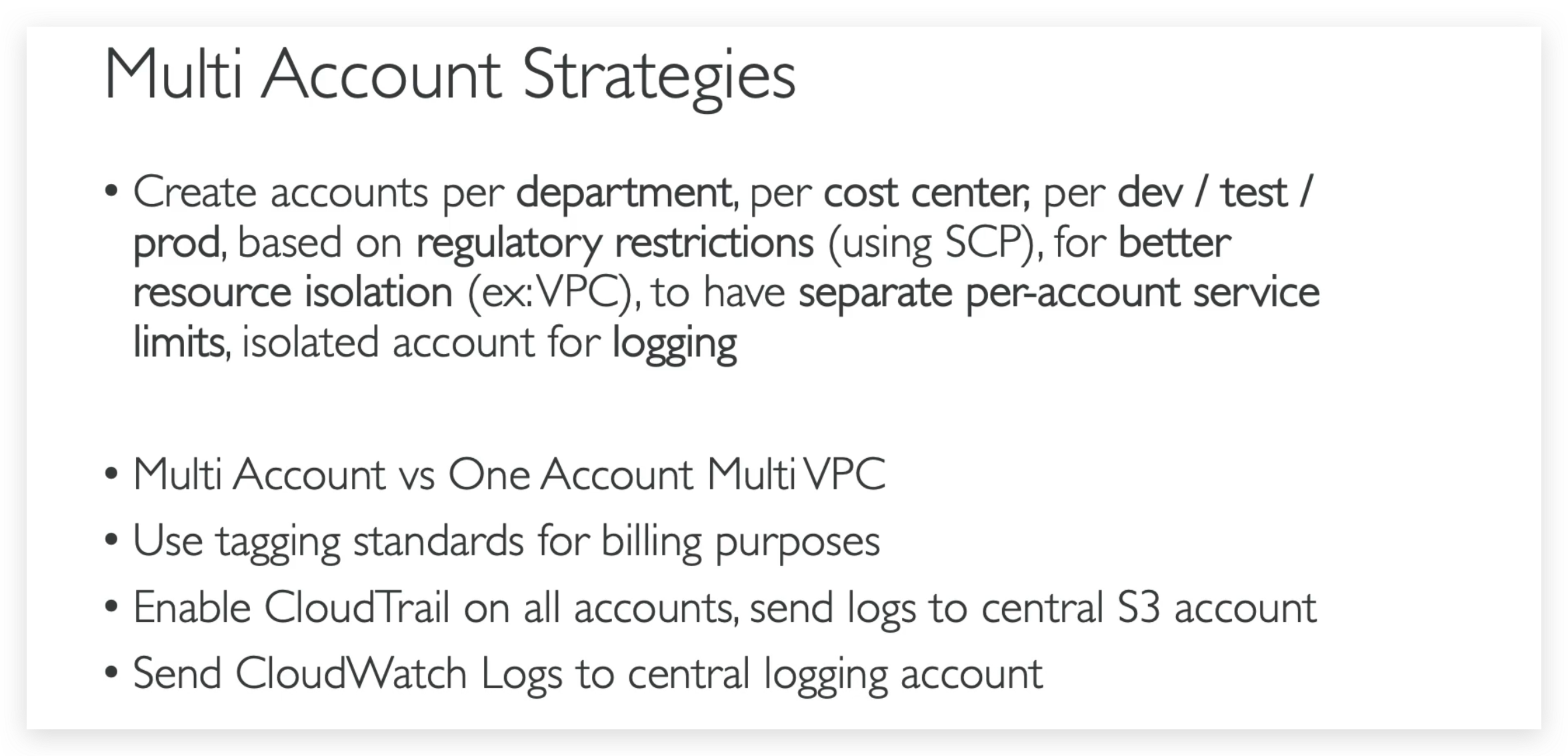
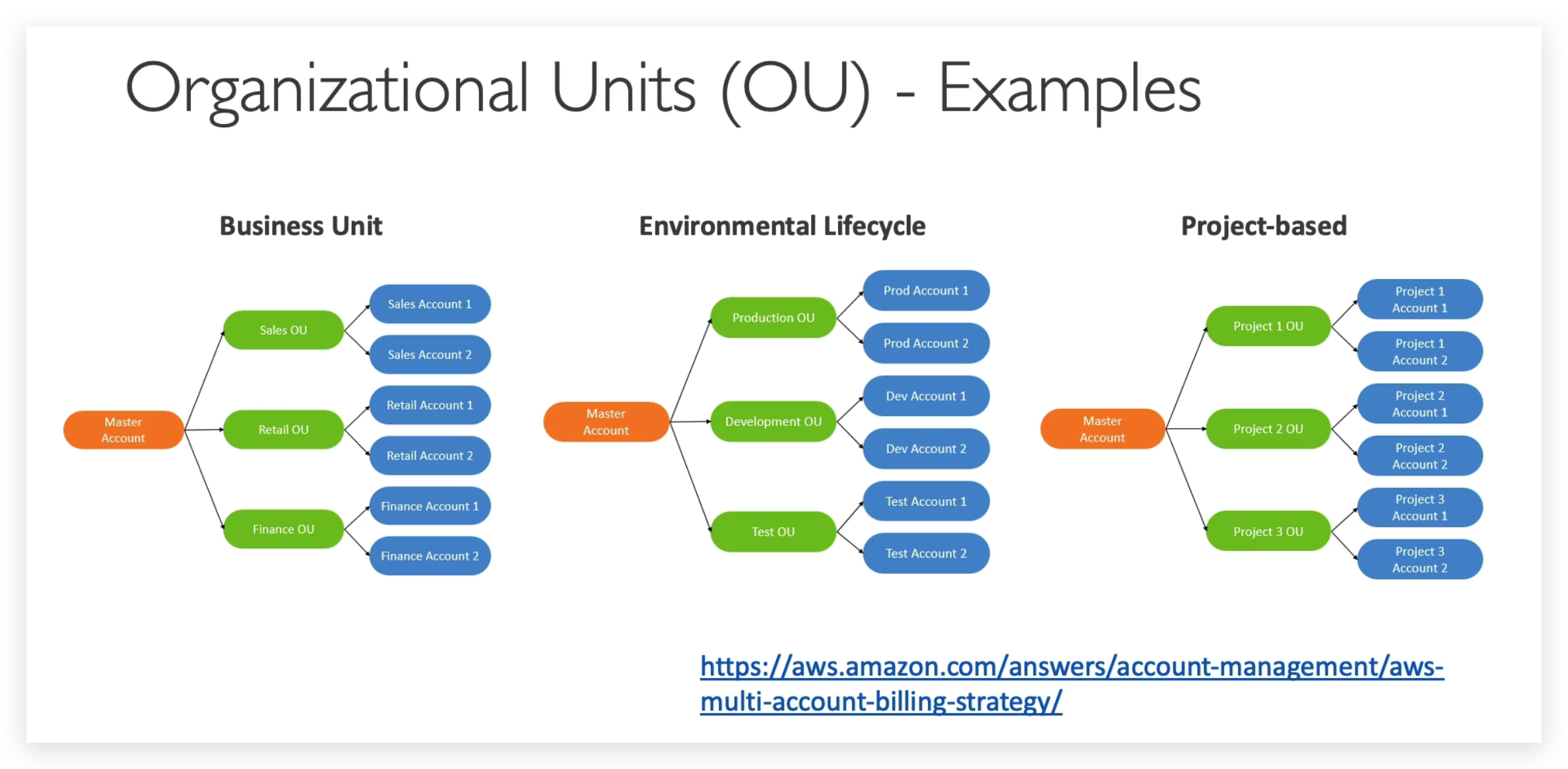
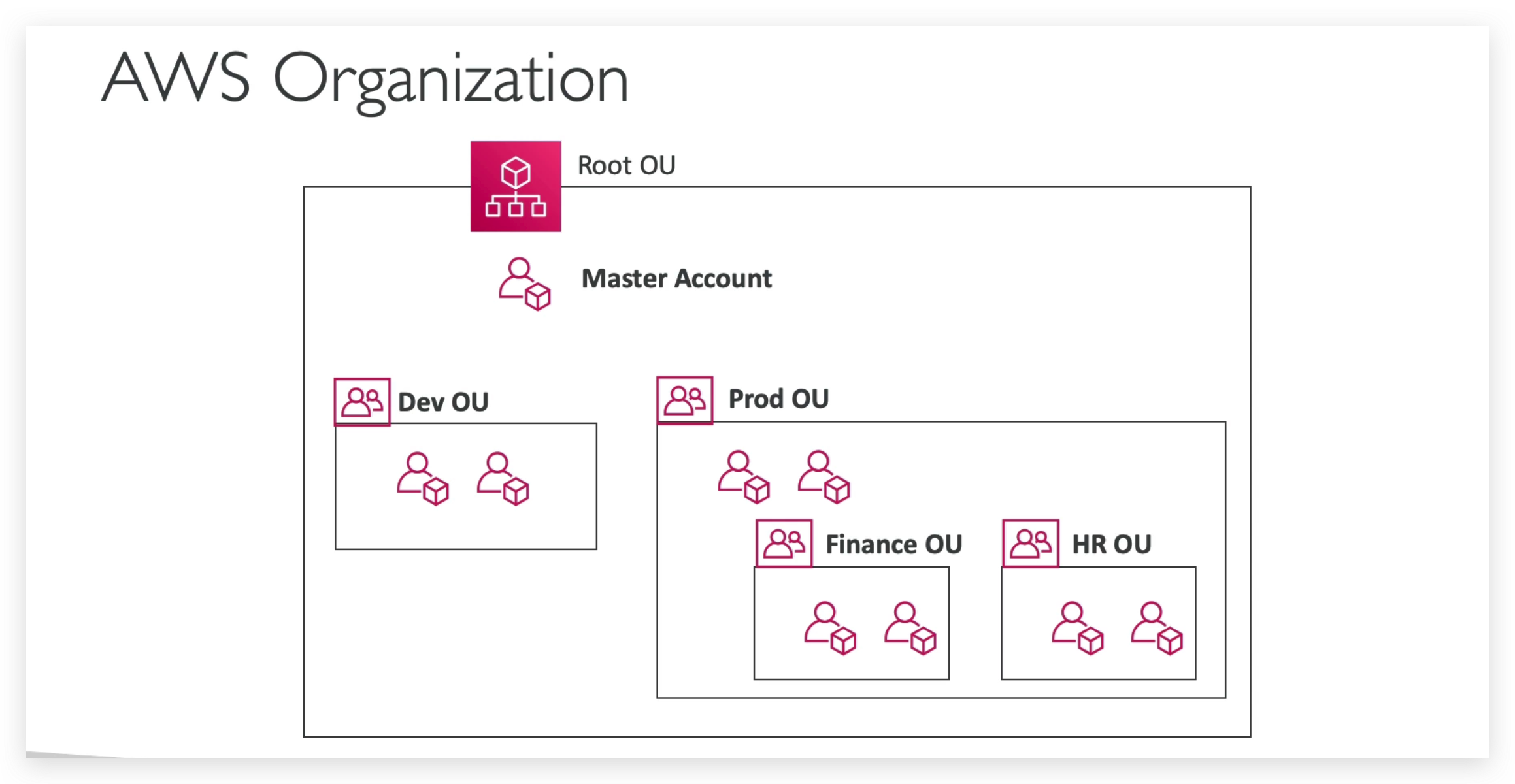
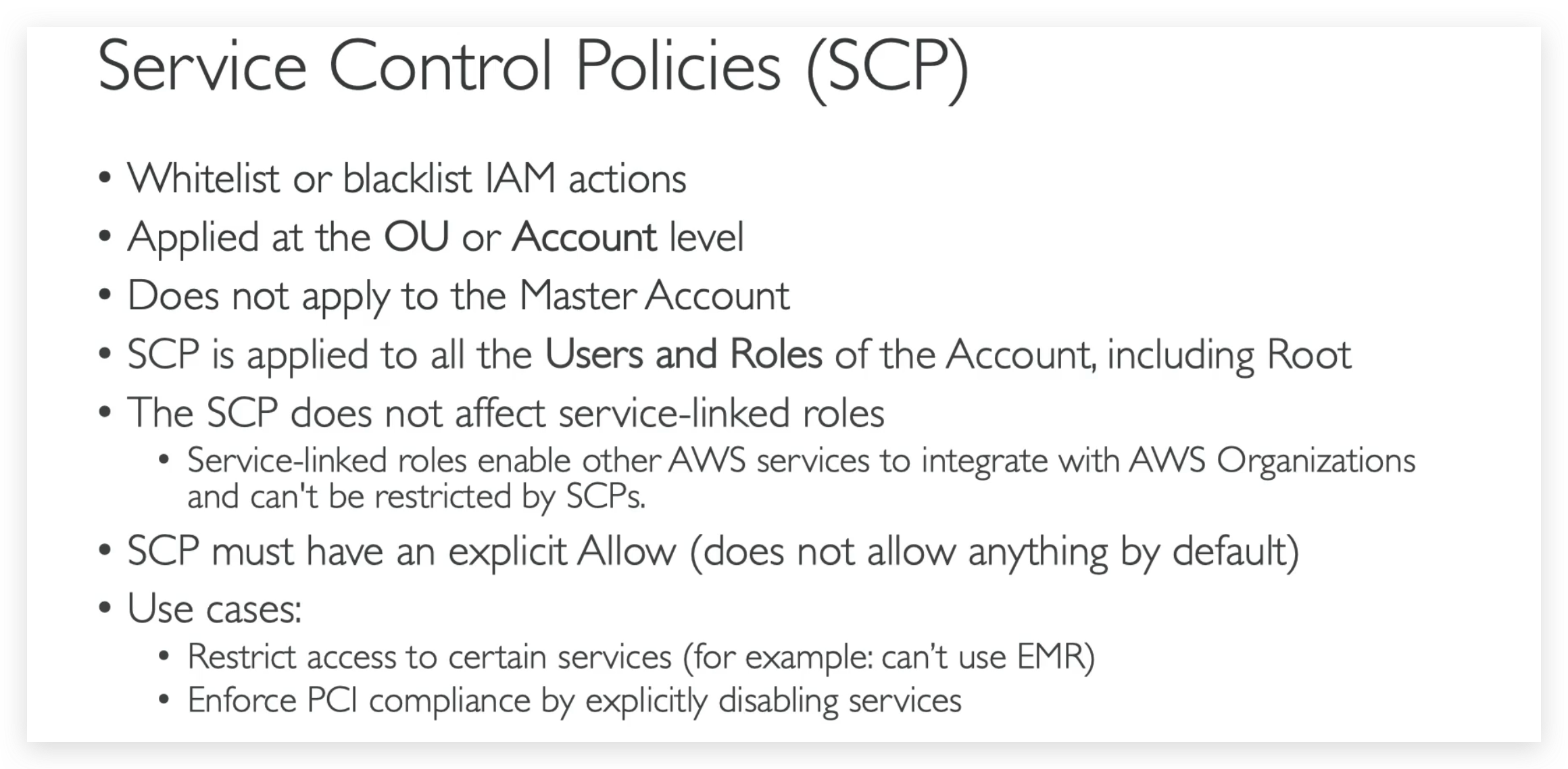
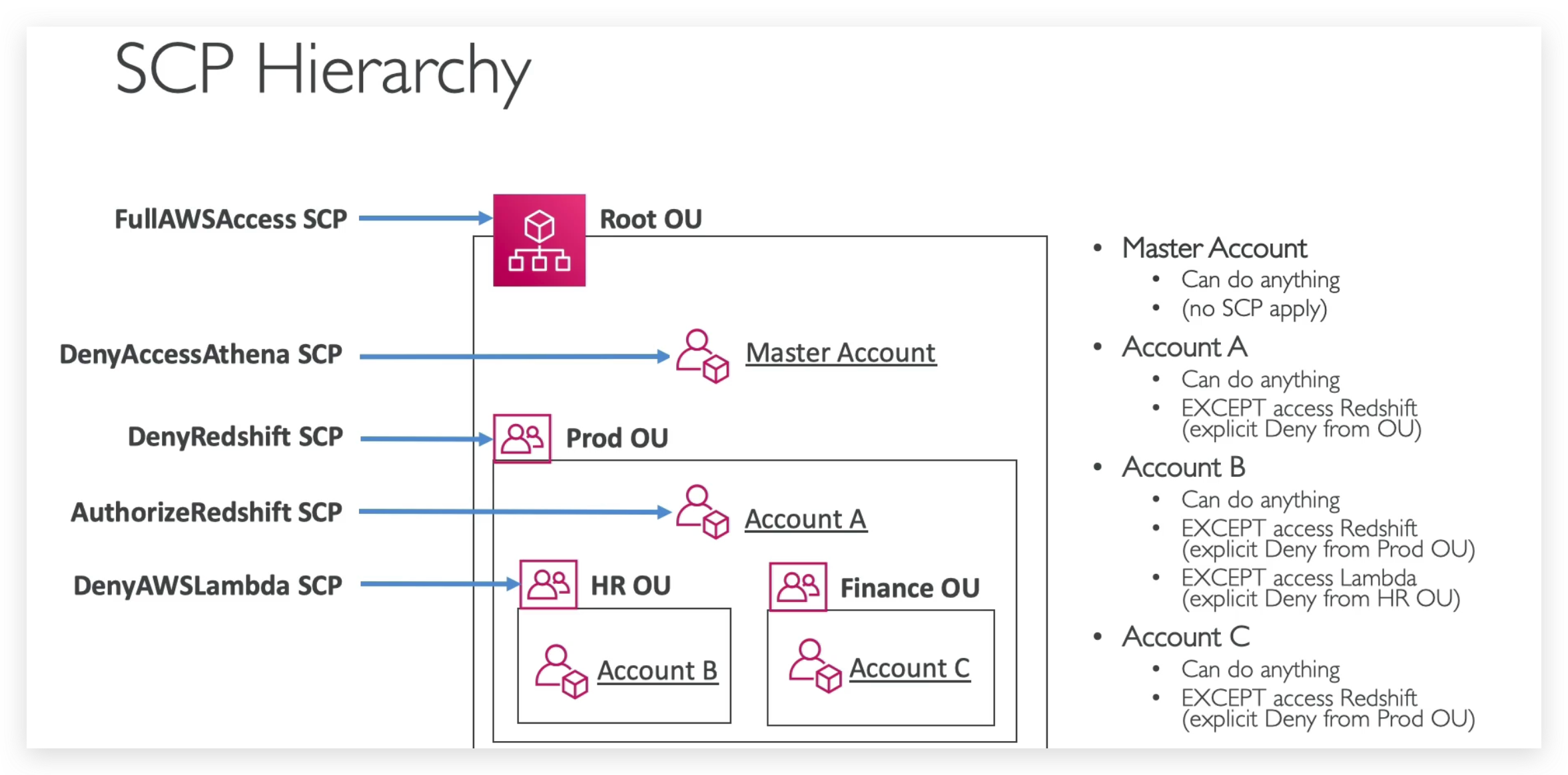
Mainly, from screenshot right above, OU level SCP will be inherited and for master account,no SCP is applicable.
Organizations Hands-on
As mentioned earlier, Organizations is a global service, and hence you will see the plaint text “Global” in the region selection dropdown menu of the top navigation bar.
To present the real scenario, we need to create at least two accounts, one for master, one for child.
So as you can see here you can create as many nested OUs as you want.